Gnus Desktop Notify
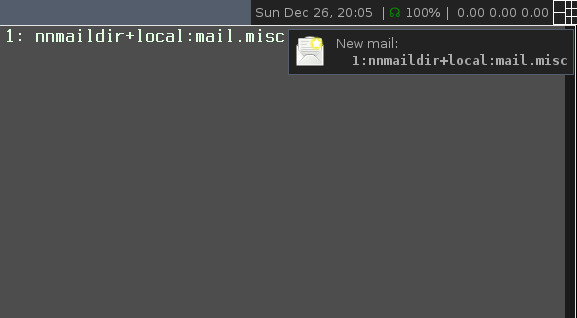
Gnus + awesomewm + Notification.
Desktop notification integration in Gnus!? Ohh goody!
Basic setup
gnus-desktop-notify.el provides a simple mechanism to notify the user when new messages are received. For basic usage, to be used in conjunction with gnus-daemon, put the following:
(require 'gnus-desktop-notify)
(gnus-desktop-notify-mode)
(gnus-demon-add-scanmail)
into your .gnus file. The default is to use alert if available, which works on every operating system and allows the user to customize the notification through emacs. See https://github.com/jwiegley/alert#for-users for further info. If not available, the notifications library (part of emacs >= 24) is used, so no external dependencies are required. With emacs <= 23 instead the generic notify-send program is used, which (in Debian or Ubuntu) is available in the libnotify-bin package.
You can also call any program directly by changing the gnus-desktop-notify-exec-program variable, or change the behavior entirely by setting a different gnus-desktop-notify-function function.
The group names are collapsed by default, and a single notification is generated containing all the groups with a count of new messages.
Mac setup
If alert is available, growl notifications are generated by default. No setup is required! See the alert customization group to tweak the generated messages to your liking.
You can also download and install growl manually, and then customize as follows:
(require 'gnus-desktop-notify)
(setq gnus-desktop-notify-function 'gnus-desktop-notify-exec
      gnus-desktop-notify-exec-program "growlnotify -a Emacs.app -m")
(gnus-desktop-notify-mode)
(gnus-demon-add-scanmail)
Advanced setup
By default, all groups are notified when new messages are received. You can exclude a single group by setting the group-notify group parameter to “t” (this is quite common for spammy groups).
You can also selectively monitor groups instead by changing the gnus-desktop-notify-groups variable to 'gnus-desktop-notify-explicit and then manually selecting which groups to include the same way.
Press “G c” in the group buffer to customize group parameters interactively.
See the gnus-desktop-notify customization group for more details.
Download
This package is available directly on Melpa.
Latest 5 available releases of gnus-desktop-notify (most recent first):
- gnus-desktop-notify.el 1.4: 01/07/2014
- gnus-desktop-notify.el 1.3: 30/06/2014
- gnus-desktop-notify.el 1.2: 15/01/2011
Full archive in releases/.
All the relevant source/developer information can be found on GitLab:
https://gitlab.com/wavexx/gnus-desktop-notify.el
Feel free to send suggestions and patches to wavexx@thregr.org.